Enterprise Cloud Solutions
Enhanced search function improving file discoverability, reducing user burden, and amplifying team collaboration.
2018 Huddle | End-to-end design
Overview
Problem statement
Huddle is an online document collaboration SaaS platform where organizations or teams purchase high-security cloud storage. However, due to different organizational habits, it’s common for workspace admins to move or restructure folders and files, making it challenging for users—especially those new to the workspace—to locate specific documents.
The core question driving this project is: How can we help people find what they need more easily? After a year of research involving surveys and data analysis, I joined the Search project to redesign the search function.
Overview
Problem statement
Huddle is an online document collaboration SaaS platform where organizations or teams purchase high-security cloud storage. However, due to different organizational habits, it’s common for workspace admins to move or restructure folders and files, making it challenging for users—especially those new to the workspace—to locate specific documents.
The core question driving this project is: How can we help people find what they need more easily? After a year of research involving surveys and data analysis, I joined the Search project to redesign the search function.

Goals
Improve the search function flow and user experience based on survey and data analyst findings.
Feature enhancement from the client’s request to support legal and education use cases.
Build hypotheses and define tracking events for the next phase and A/B testing.Reduce the drop rate of searching and increase user retention on the search function.
Goals
Improve the search function flow and user experience based on survey and data analyst findings.
Feature enhancement from the client’s request to support legal and education use cases.
Build hypotheses and define tracking events for the next phase and A/B testing.Reduce the drop rate of searching and increase user retention on the search function.
Discover
Process
Process
NPS
Collect reasons why users stop purchasing
NPS
Collect reasons why users stop purchasing
Project Survey
Understand key pain points in finding things efficiently
Project Survey
Understand key pain points in finding things efficiently
User Drop Rate
Analyze usage data to pinpoint where users leave the app
User Drop Rate
Analyze usage data to pinpoint where users leave the app
File Index
Review backend data on file volume, types, and performance
File Index
Review backend data on file volume, types, and performance
Usability Test
Test design prototypes to refine options
Usability Test
Test design prototypes to refine options
Research findings
Finding things
The entire "finding things" problem area includes the below projects:
Bookmark
Pin files & folders
Favourite workspaces
Personal dashboard
Search
Although the task flow link from feature to feature, based on user scenarios, today, I'll only introduce the search function as an example of using quantitative research findings to support design decision.
Research findings
Finding things
The entire "finding things" problem area includes the below projects:
Bookmark
Pin files & folders
Favourite workspaces
Personal dashboard
Search
Although the task flow link from feature to feature, based on user scenarios, today, I'll only introduce the search function as an example of using quantitative research findings to support design decision.
Define
Search improvement
Finding things
Uses have difficulty in finding the correct file by using the search function.
The reasons are:
Didn't realise that there was a full-page search result, and stopped at the instant search result.
Many files have the same or similar name
Didn't know or forget the file name
The target item is ranking in a shallow position.
Get lost when clicking a wrong item and trying to go back to search results
Not able to find an item which was created over three years due to the low ranking
Search improvement
Finding things
Uses have difficulty in finding the correct file by using the search function.
The reasons are:
Didn't realise that there was a full-page search result, and stopped at the instant search result.
Many files have the same or similar name
Didn't know or forget the file name
The target item is ranking in a shallow position.
Get lost when clicking a wrong item and trying to go back to search results
Not able to find an item which was created over three years due to the low ranking
Design & Iteration
Layout
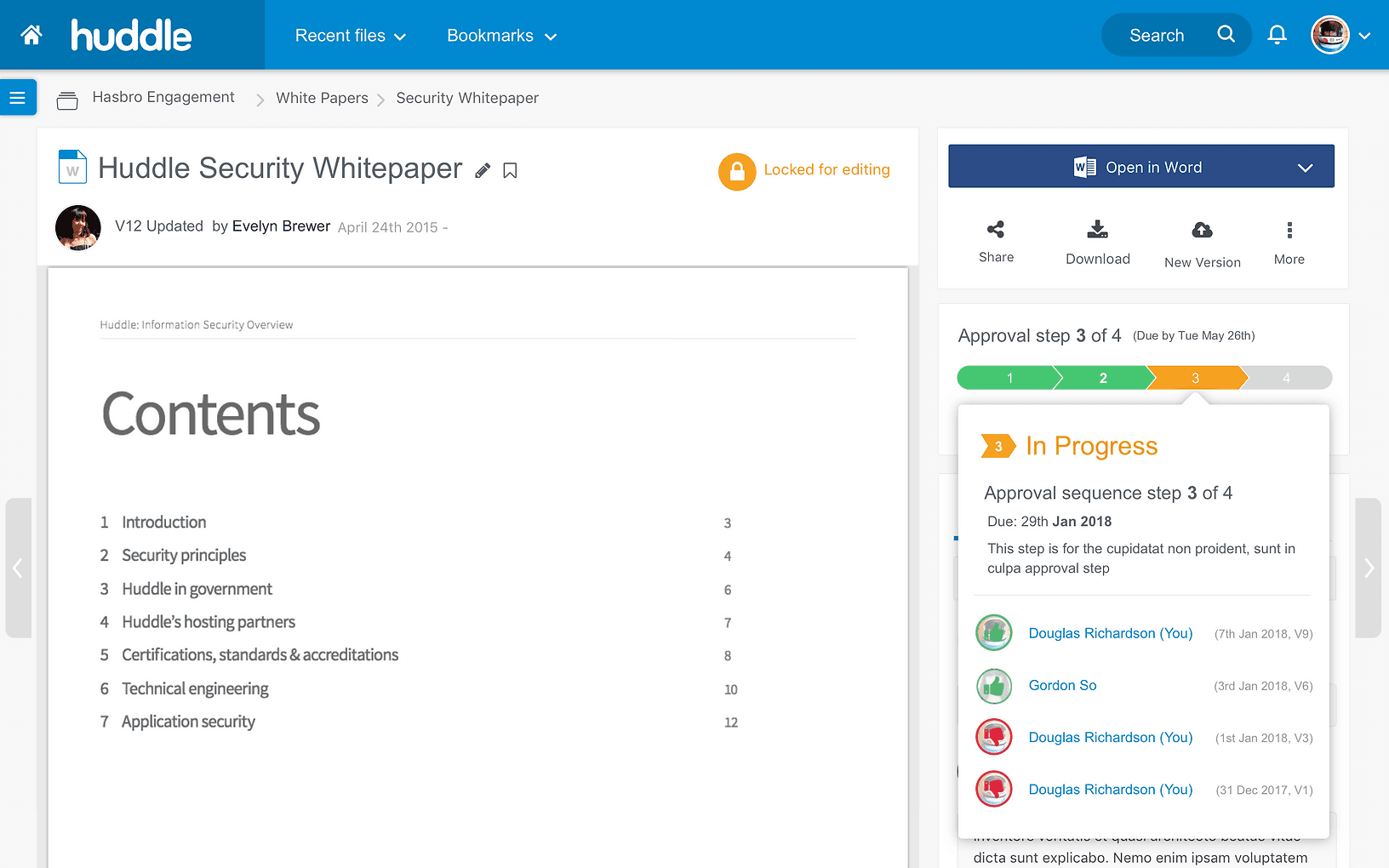
The new search function layout must consider the existing UI and user behavior, as enterprise customers typically require more time and a slower process to adapt to changes.
After testing, and given that the current search function includes a two-stage process for performance reasons, the design and UX should ensure users clearly understand the second stage. This stage involves a larger search space, offers more filter functions, and can return a greater number of files.
Layout
The new search function layout must consider the existing UI and user behavior, as enterprise customers typically require more time and a slower process to adapt to changes.
After testing, and given that the current search function includes a two-stage process for performance reasons, the design and UX should ensure users clearly understand the second stage. This stage involves a larger search space, offers more filter functions, and can return a greater number of files.
Step 1: Cached search
Retrieves recent search results that are stored temporarily in memory, allowing for faster access.
Step 1: Cached search
Retrieves recent search results that are stored temporarily in memory, allowing for faster access.
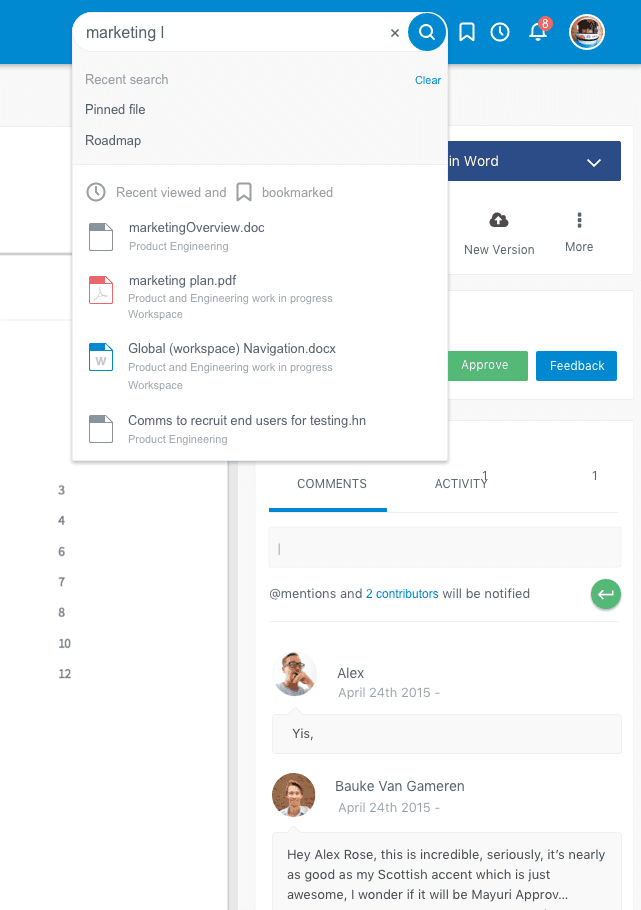
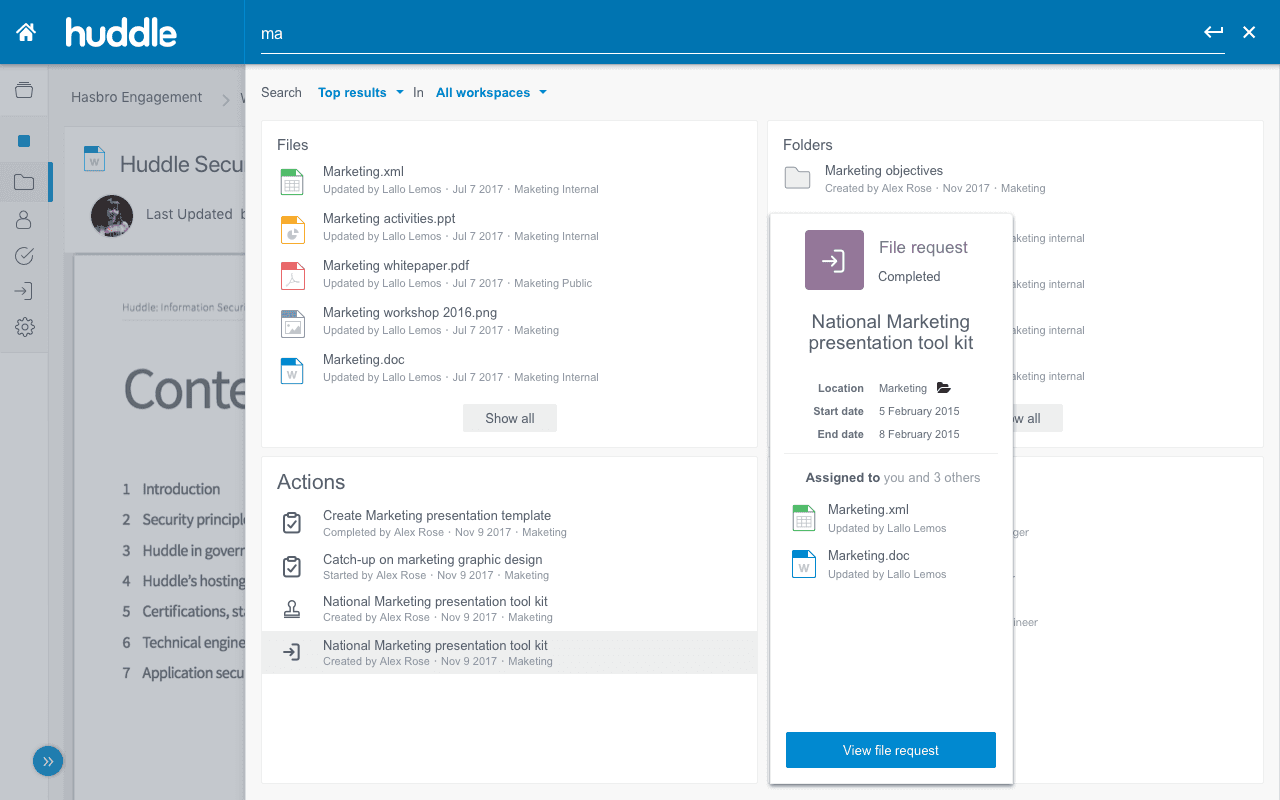
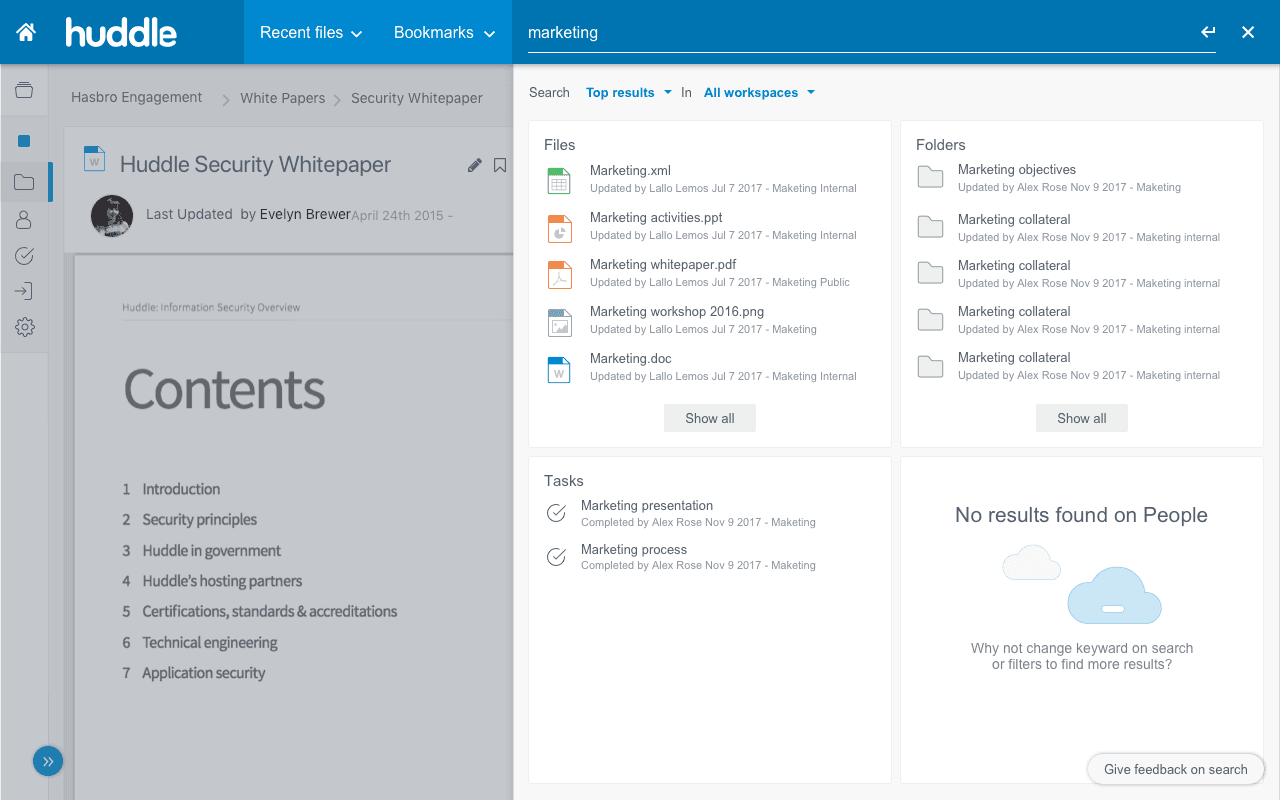
Step 2: Top-k search
Retrieves the highest-ranked or most relevant results from each file type, allowing users to see the best matches without overwhelming them with too many options.
It helps users recognize that four distinct main search results are returned to assist them in identifying the relevant documents and objects.
Step 2: Top-k search
Retrieves the highest-ranked or most relevant results from each file type, allowing users to see the best matches without overwhelming them with too many options.
It helps users recognize that four distinct main search results are returned to assist them in identifying the relevant documents and objects.
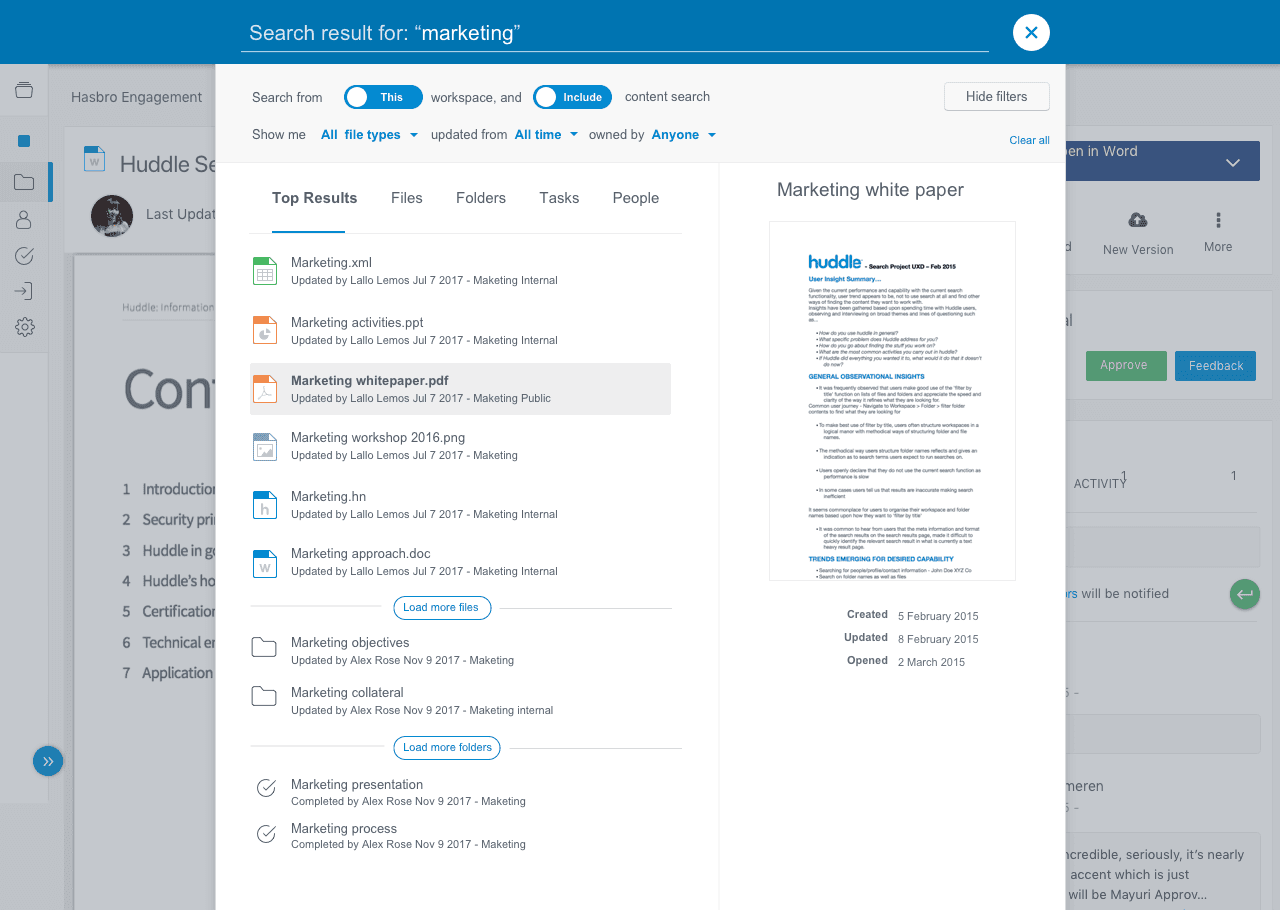
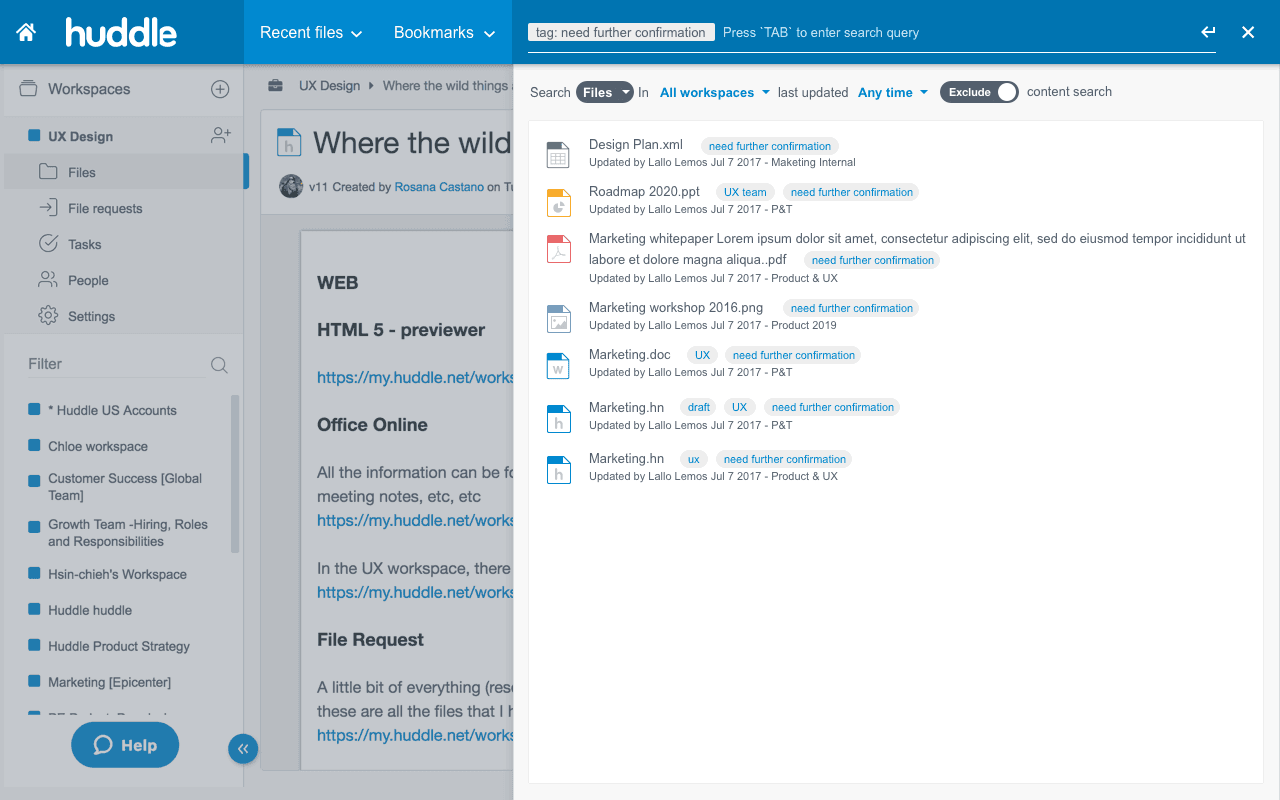
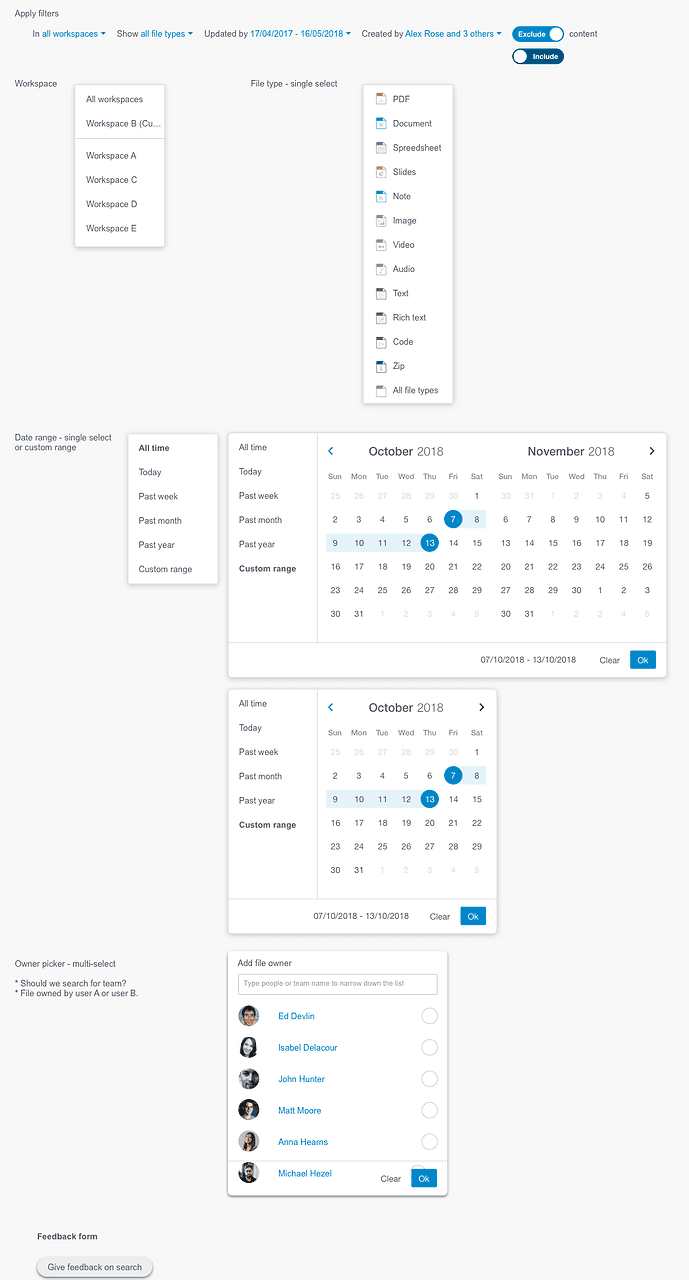
Step 3: Faceted search
Provide a complete list of search results that are organis
ed based on their relevance to the user's query, along with enhanced filtering options that allow users to refine their results based on specific criteria
Step 3: Faceted search
Provide a complete list of search results that are organis
ed based on their relevance to the user's query, along with enhanced filtering options that allow users to refine their results based on specific criteria
Deliver
Success metrics
User engagement
Avg. unique users + 20%
Success metrics
User engagement
Avg. unique users + 20%
Customer retention
Existed user retention rate 90%
New user retention rate 80%
Customer retention
Existed user retention rate 90%
New user retention rate 80%